Symbols · Pixel art template
Google Chrome Logo Minecraft pixel art template
Build Google Chrome Logo Minecraft pixel art from the original template image. View the grid, suggested wool colors, source credits, and building guide.
Building grid
Preserved original image template. Each grid square represents one Minecraft block.
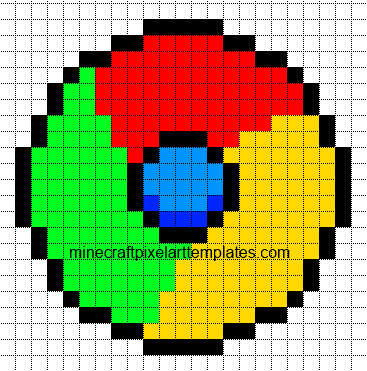
Suggested wool colors
- Black Wool · Black
- Red Wool · Red
- Lime Wool · Bright green
- Yellow Wool · Yellow
- Blue Wool · Blue
- Light Blue Wool · Light blue
- White Wool · White
Use the original image grid to count each color. This archived image does not have reviewed block quantities.
How to build Google Chrome Logo
- Choose a size and reserve enough space for the full grid.
- Gather the materials shown above. One square is one Minecraft block.
- Start with the bottom row and build upward, matching each occupied square.
- Leave blank squares empty. Use the interactive guide to zoom as you build.
Published by Minecraft Pixel Art Templates. Original post by Molly Yates. Original source.