Pokémon · Pixel art template
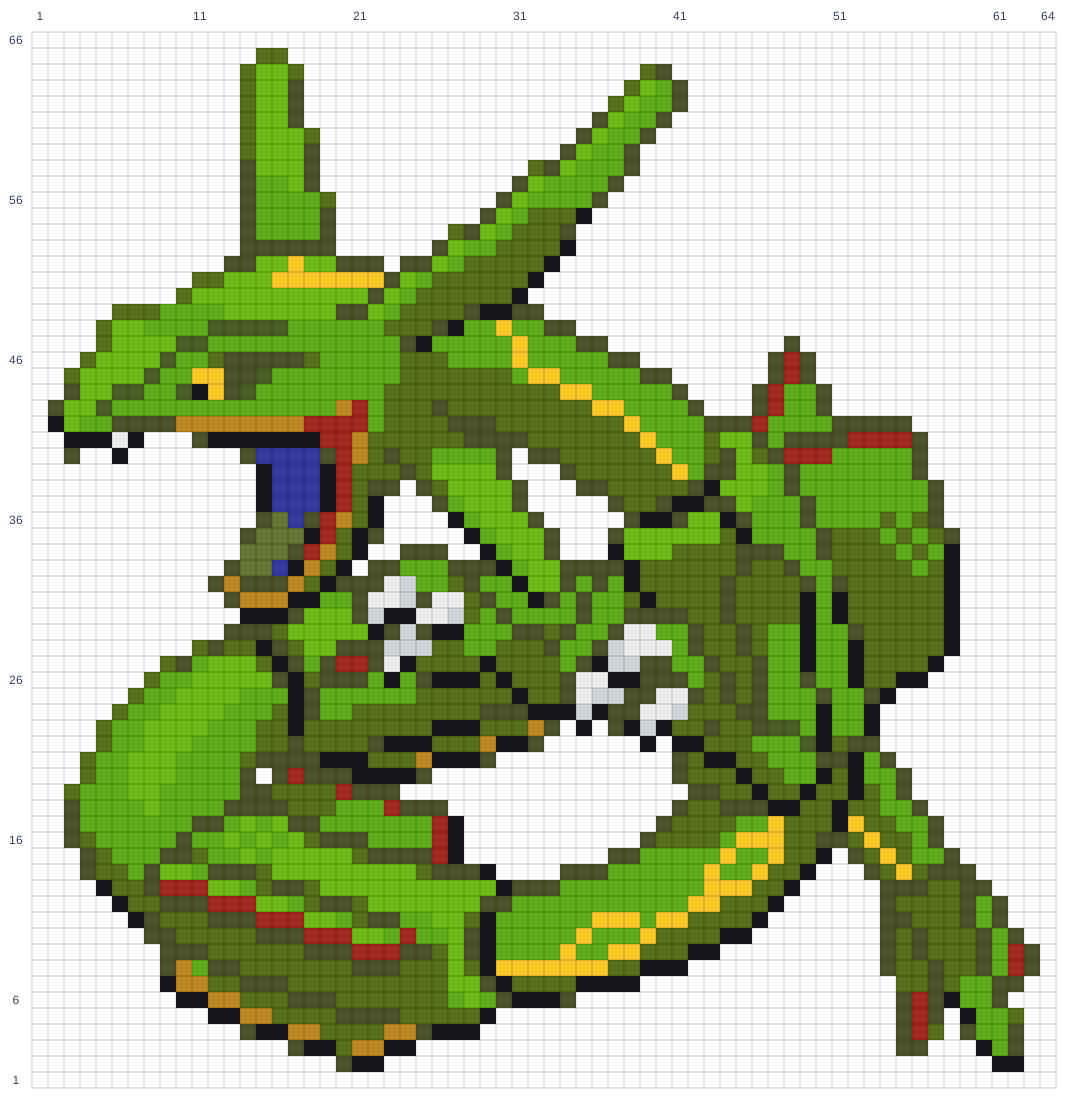
Rayquaza Minecraft pixel art template
Build Rayquaza Minecraft pixel art with 2,138 blocks. View the grid, material quantities, and interactive building guide.
Building grid
64 columns × 66 rows2,138 blocks total13 materials
Materials
| Minecraft block | Blocks | Stacks of 64 |
|---|---|---|
| Green Wool | 533 | 8 + 21 blocks |
| Lime Wool | 218 | 3 + 26 blocks |
| Green Terracotta | 451 | 7 + 3 blocks |
| Lime Concrete | 507 | 7 + 59 blocks |
| Black Wool | 202 | 3 + 10 blocks |
| Yellow Wool | 58 | 0 + 58 blocks |
| Green Concrete | 18 | 0 + 18 blocks |
| Red Wool | 55 | 0 + 55 blocks |
| Yellow Terracotta | 35 | 0 + 35 blocks |
| White Wool | 21 | 0 + 21 blocks |
| Blue Wool | 15 | 0 + 15 blocks |
| Lime Terracotta | 9 | 0 + 9 blocks |
| White Concrete | 16 | 0 + 16 blocks |
How to build Rayquaza
- Choose a size and reserve enough space for the full grid.
- Gather the materials shown above. One square is one Minecraft block.
- Start with the bottom row and build upward, matching each occupied square.
- Leave blank squares empty. Use the interactive guide to zoom and check materials as you build.
Artwork / source credited to GAME FREAK. Original source. Pokémon © Nintendo / Creatures Inc. / GAME FREAK inc.